

Latest Version
Urs Fleisch
Media
Linux
Free
org.kde.kid3
Report a Problem
More About Kid3 Audio Tag Editor
Imagine transferring a freshly ripped music album to your media player, only to find the tracks scattered, missing artist names, or plagued by chaotic, inconsistent file naming. Kid3 audio tag editor is the specialized Linux utility designed to solve this exact frustration, giving audiophiles and casual listeners complete control over their digital music libraries.
The Ultimate Linux Solution: Kid3 Audio Tag Editor
Developed by Urs Fleisch, the Kid3 audio tag editor is a lightweight yet incredibly robust metadata manager tailored for the Linux platform. Whether you are dealing with common formats or high-fidelity audio, Kid3 offers a streamlined interface to manipulate tags across an astonishingly wide array of formats, including MP3, Ogg/Vorbis, FLAC, DSF, Opus, MPC, APE, MP4/AAC, MP2, Speex, TrueAudio, WavPack, WMA, WAV, AIFF, and tracker files.
Advanced Metadata and Batch Tagging Features
What sets this utility apart from basic media players is its deep, granular control over tag structures. Here is what makes the Kid3 audio tag editor a powerhouse tool for audio collection management:
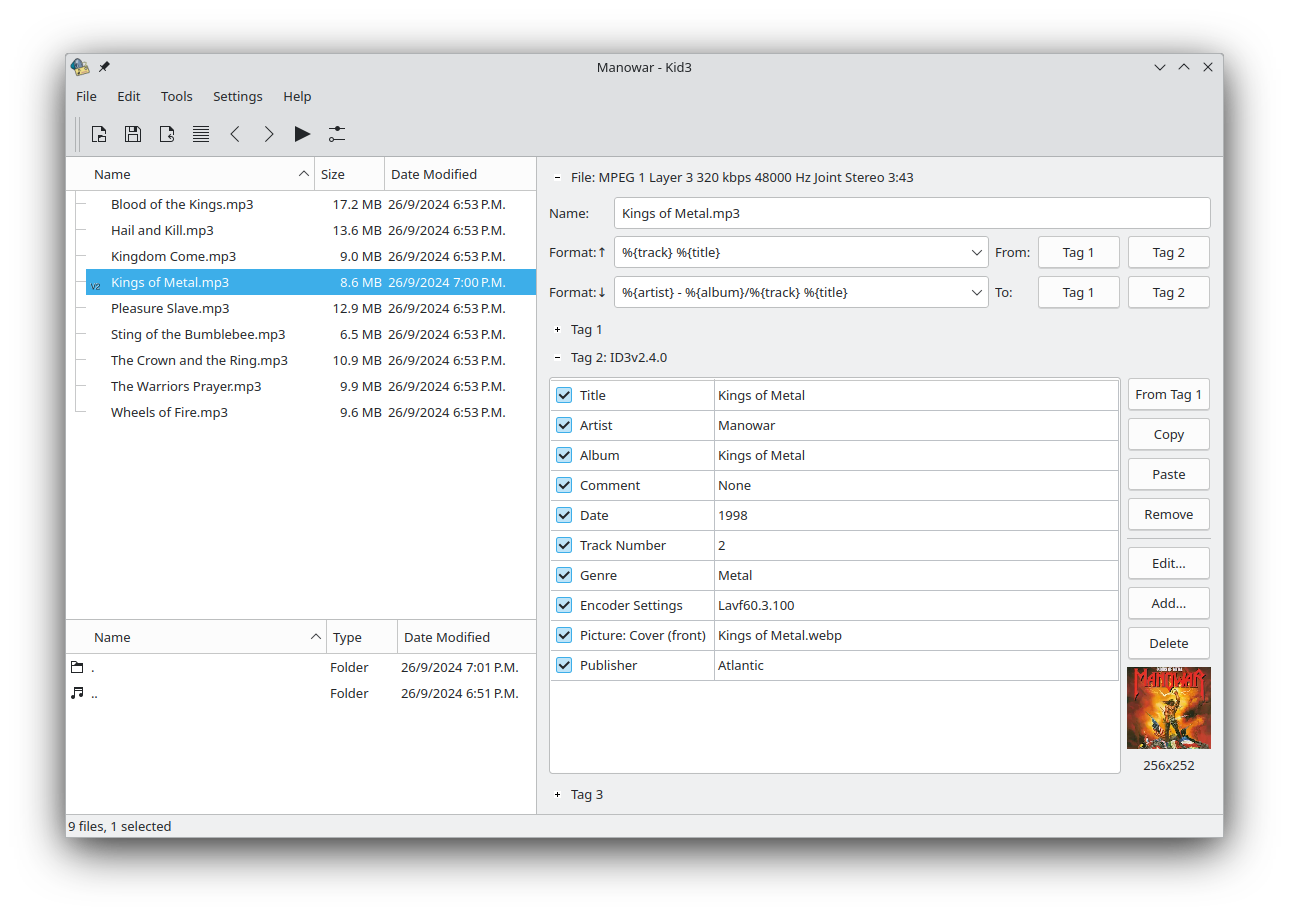
- Comprehensive ID3 Control: Edit all frames in the ID3 tags of MP3 files, with seamless conversion capabilities between ID3v1.1, ID3v2.3, and ID3v2.4 standards.
- Batch Processing: Apply tag changes to dozens of files simultaneously, ensuring uniform artist names, album titles, and genres across entire directories.
- Smart Generator Tools: Generate tags automatically from existing file names or other tag fields, or rename files and folders based on their metadata.
- Automated Formatting: Maintain a clean aesthetic with automatic case conversion and string replacement tools.
- Synchronized Lyrics: Edit, import, and export synchronized lyrics directly to LRC Karaoke files.
- Online Database Integration: Automatically import album metadata and cover art from trusted sources like gnudb.org, MusicBrainz, Discogs, and Amazon.
Tailored for Your Linux Desktop
The standard version of the app leverages the KDE Frameworks, blending perfectly into KDE-based desktop environments. However, the developer also provides a Qt-only version (Kid3-qt) for users of other desktop environments who prefer a setup free of KDE dependencies. This flexibility ensures a lightweight footprint and native performance regardless of your distribution choice.
Is the Kid3 Audio Tag Editor Right for You?
If you have a large local music library that needs strict organization, this application is indispensable. Its combination of automatic web-based lookup, batch processing, and deep tag format support makes quick work of dirty metadata. To explore this powerful utility further, head over to the official Flathub store page to learn more about installation on your Linux system.
Rate the App
User Reviews





Popular Apps










Editor's Choice